
Updating Payment Method
The customer can manage saved payment methods from the My Account > Payment Methods page. On this page, a customer can:
- set a default payment method for future transactions.
- delete a payment method from their account.
- add a new payment method to their account.
note: screenshots may look different than our website, but concept remains the same.
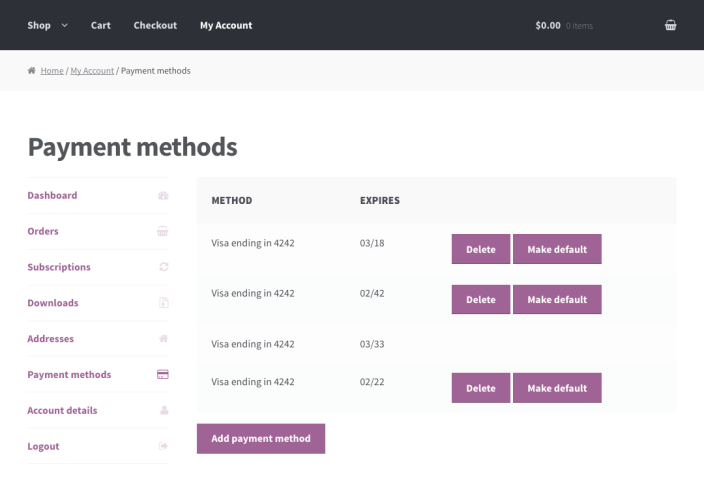 My Account Payment Method Page
Deleting a Payment Method
Deleting a saved payment method used for subscription payments causes future renewal payments to fail because the payment method is no longer available.
To prevent this, Subscriptions prevents customers from deleting payment methods used by active subscriptions unless:
- the customer has another payment method, via the same gateway set as their default; or
- The customer has one other saved payment method from the same gateway that can serve as an alternative for the subscription.
If a customer’s account meets one of those criteria, and they delete a payment method used by a subscription, the subscription will automatically update to use the alternative token. The customer will be notified of this after deleting the payment method.
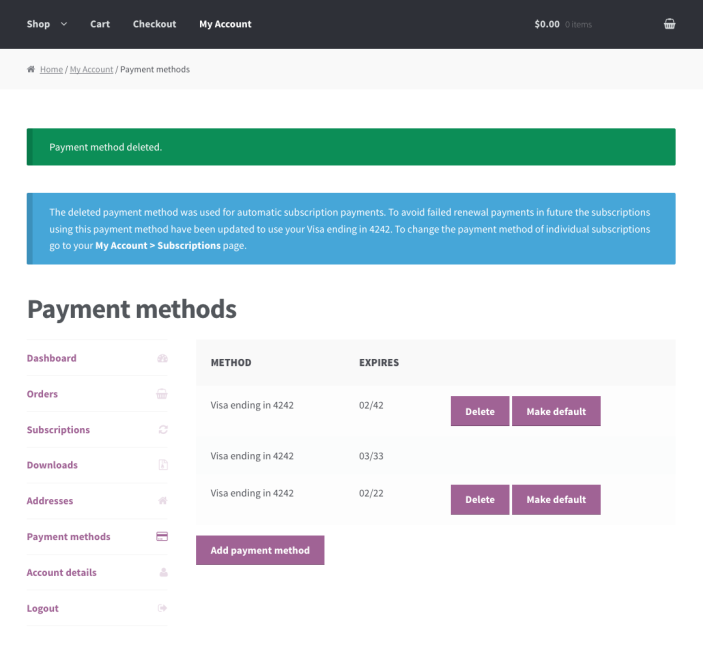 My Account “Payment Method Deleted” Notice
Adding a New Payment Method and Setting as Default
Customers can add new payment methods to their account at any time by going to My Account > Payment Methods, clicking the “Add payment method” button, and filling in the information for the new method.
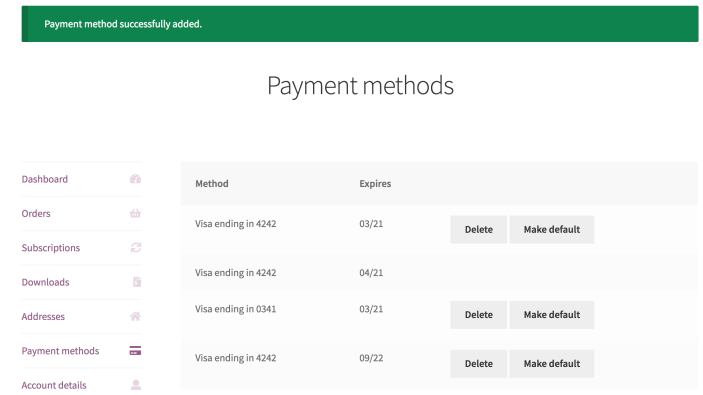 Payment method added
After adding a new payment method, a customer may wish to set this method as the default for future purchases. Customer’s can set the default payment method by clicking the “Make Default” button next to the applicable payment method.
When a customer adds a new payment method and sets it as default, an option appears to update all their existing subscriptions to use that method:
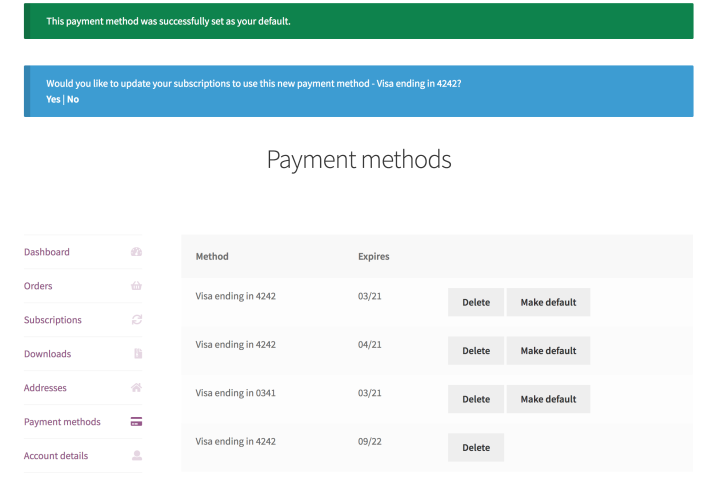 Customers click “Make Default” to set a default payment method
Choosing “Yes” will cause the payment method for the customer’s existing subscriptions to change to the new default method.
Change Subscription Payment Method
The “Change Payment Method” button can update the payment method for future recurring payments. For example, when a subscriber’s credit card expires or they want to use a different credit card than the one currently on file.
To change the payment method used for a single subscription, a customer can:
- Go to My Account > Subscription> Click View next to the subscription.
- Click the Change Payment button.
- Enter the new payment details on the Checkout page.
- (Optional): Click the Update the payment method used for all of my current subscriptions checkbox to update all subscriptions.
- Submit the Checkout form and return to the My Account > View Subscription page.
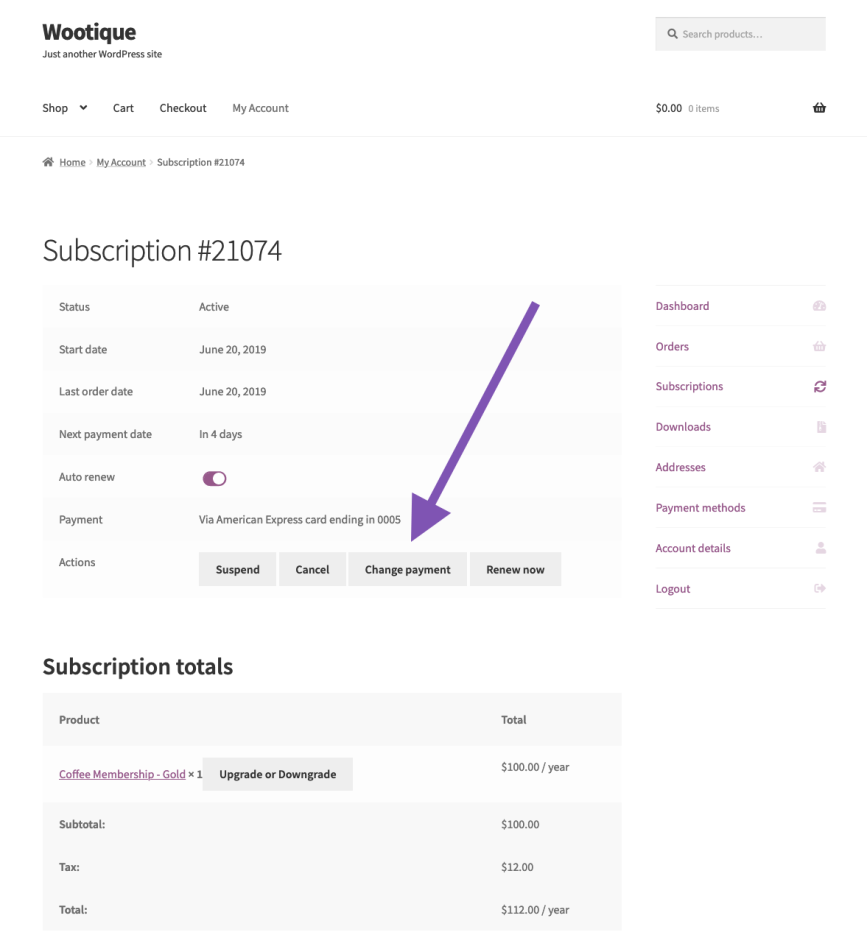 1 – Customer Clicks Change Payment Method Button
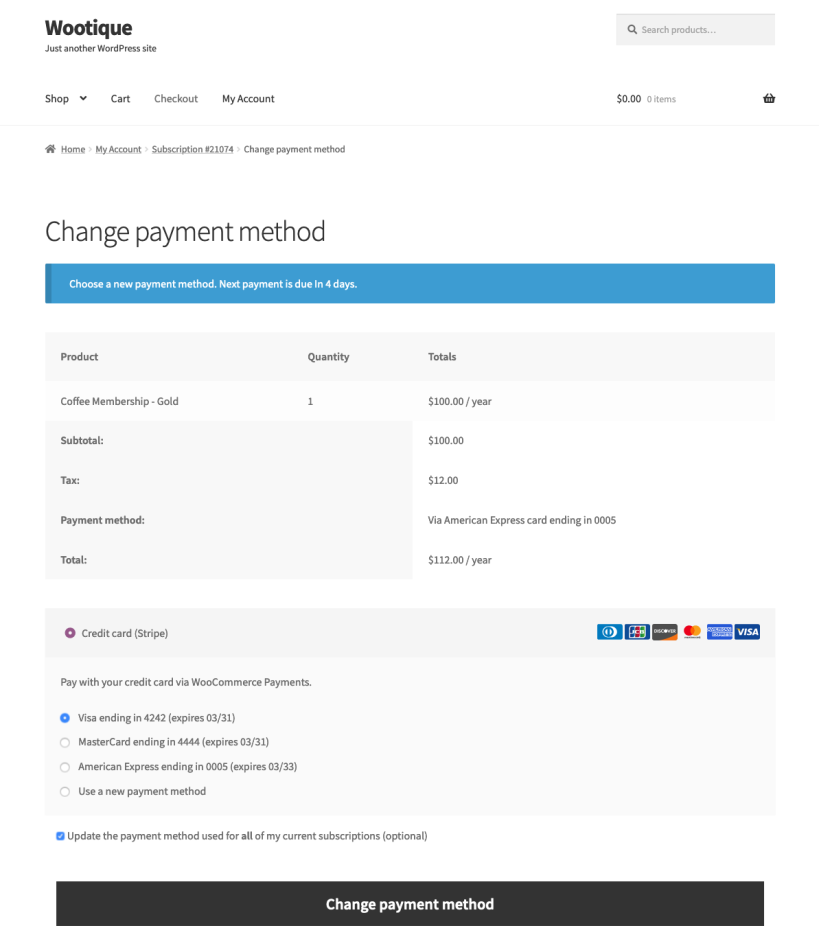 2 – Customer Enters New Payment Information
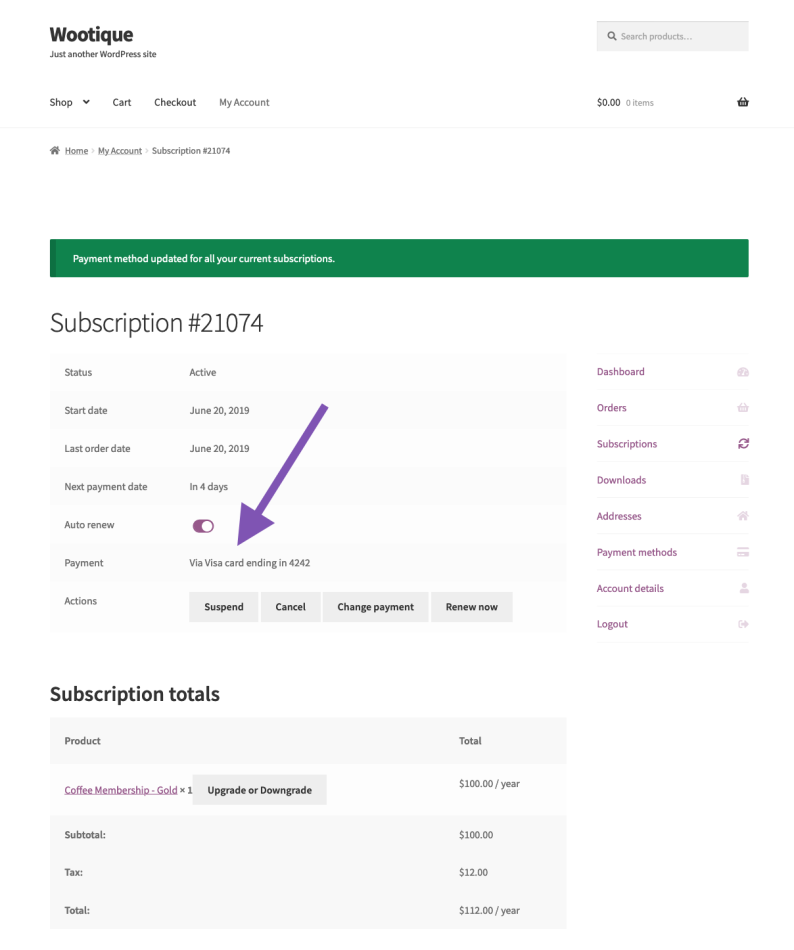 3 – Payment Method Updated
Why can’t my customer change their recurring payment method?
It’s not always possible, or necessary, for a customer to be able to change the recurring payment method on a subscription. As a result, WooCommerce displays the Change Payment Method button only if a subscription:
- has the status of active
- requires automatic recurring payments. Changing a payment method for manual renewals is unnecessary, as the customer can choose a method for each recurring payment.
- site is not in Staging Mode. In Staging Mode, WooCommerce treats all subscriptions as requiring manual renewal to avoid duplicate payments.
- uses a payment gateway that supports canceling the subscription
- has at least one future automatic payment scheduled. There is no need to change a payment method if no payments will occur.
Information taken from Woocoomerce.com